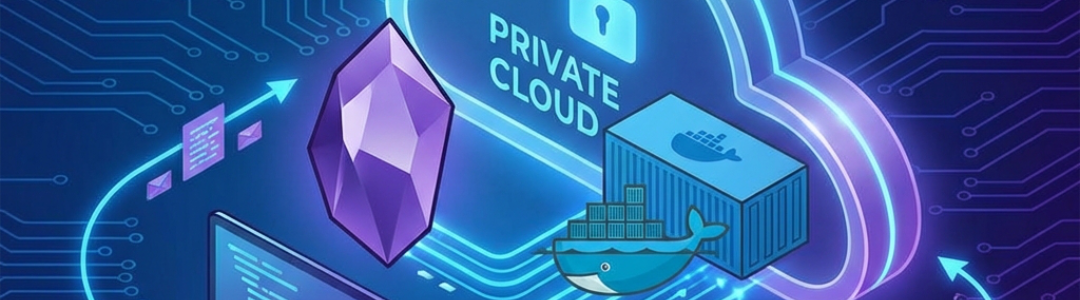
The local-first note-taking application Obsidian has long faced a persistent tension between absolute data ownership and multi-device convenience. While its core markdown files reside neatly on local disks, keeping those notes synchronized across a Windows desktop, a MacBook, and a mobile phone traditionally required either a major cloud ecosystem or the official Obsidian Sync subscription, which ranges from eight to sixteen dollars per month[1] [2]. For privacy-conscious power users and homelab enthusiasts, that monthly tithe has triggered a mass migration toward local alternatives.
Recent architectural work within the community has turned home hardware into private synchronization hubs. As reported by multiple technical outlets, users are shifting their vaults onto private Network Attached Storage devices and personal servers, ensuring that sensitive personal notes, credentials, and project boards travel exclusively across hardware they physically own. This shift capitalizes on always-on home servers to solve the complex multi-device sync puzzle without recurring vendor fees[5].
The Rise of Self-Hosted LiveSync and CouchDB
Among the most robust mechanisms for bypassing commercial cloud syncing is the community-developed Self-hosted LiveSync plugin paired with a containerized CouchDB instance. In a detailed deployment walkthrough, tech publication XDA Developers noted that moving an Obsidian vault to a local NAS eliminates the risk of file corruption that traditionally plagued direct network-share mounts during mid-transfer connection drops. By running CouchDB inside a Docker container on a home server, users establish a private replication endpoint that handles real-time delta updates rather than blindly copying entire files.
This architecture addresses the unique hazard of collaborative note-taking across disparate operating systems. Because an Obsidian vault contains not only markdown text but also complex configuration files, image attachments, canvas documents, and third-party plugin data, standard file shares often result in race conditions. The LiveSync plugin utilizes database replication to merge changes cleanly, support end-to-end encryption, and maintain a local-first buffer so that mobile devices and laptops can continue writing notes while completely offline[7].
Alternative Protocols: WebDAV, Syncthing, and Direct P2P Sync
For users who prefer standard file protocols over database containers, network-attached storage units running standard WebDAV servers have emerged as a streamlined alternative. New community tools like the NAS Vault Sync plugin allow desktop and mobile Obsidian clients to communicate directly with a Synology or Apache-backed WebDAV share over secure HTTPS connections. These native integrations include Unicode-safe path handling to prevent synchronization failures between Windows, macOS, and mobile devices when dealing with accented or non-Latin filenames.
Other privacy advocates rely on peer-to-peer utilities like Syncthing combined with secure tunneling networks like Tailscale to bridge mobile and desktop devices without opening ports to the public internet. Alternatively, newly introduced peer-to-peer plugins such as P2P Vault Sync allow direct local network handshakes, letting a laptop and phone exchange updates over a shared Wi-Fi network or mobile hotspot in under a second[9].
| Sync Method | Primary Infrastructure | Mobile Support | Estimated Cost |
|---|---|---|---|
| Obsidian Sync | Official Cloud | Full Native | $4 to $16 / month |
| Self-hosted LiveSync | Docker / CouchDB | Via Plugin | Free (Server hardware required)[10] |
| NAS WebDAV | NAS Server Share | Via Plugin | Free ( NAS hardware required) |
| Syncthing + Tailscale | Peer-to-Peer Mesh | Via Third-Party App | Free[10] |
The Trade-Offs of Cutting the Cord
While self-hosting an Obsidian vault eliminates recurring fees, it introduces a distinct set of operational overheads and maintenance requirements. Unlike managed cloud services that operate transparently in the background, a self-hosted NAS or CouchDB stack demands active troubleshooting when home networks drop or container configurations break after software updates. Furthermore, mobile clients on iOS and Android require specific community plugins or helper apps to bridge local network endpoints securely, introducing friction for users accustomed to plug-and-play cloud synchronization.
Despite these technical hurdles, the philosophy of keeping data entirely local resonates deeply within the productivity community. As noted in open-source developer discussions, maintaining absolute sovereignty over one's digital knowledge base outweighs the minor convenience of commercial cloud storage[7].
Your notes travel only between your devices and a server you own.
NAS Vault Sync Documentation, Open-Source Project Release
As long as manufacturers continue expanding the capabilities of home servers and NAS hardware, the local network will remain a viable, subscription-free alternative for organizing a digital life.